
How to block spam calls on an Android phone?
You can enable the spam protection, mark calls as spam, or verify the caller ID to block spam calls on an Android phone. These features automatically detect and block scam calls.
On a daily basis, we receive spam calls from telemarketers, scammers, or automated robocalls while performing a focused task. This interruption not only wastes your time but also increases the risk of fraud.
In this article, I will explain what reliable methods you can use to block spam calls and messages. What are the steps you can use to stop the scammers from calling? Moreover, I will confirm do eSIM contributes to stopping spam calling.
What is a Spam Call or Text?
A spam call or a text is an unwanted communication sent to a large number of people without their consent. The calls and messages might be about some advertisement or a scam designed to steal your personal information.
The scammers generally pretend to be the bank agent or the organisation that tricks you into sending money.
How to Block Spam Calls and Texts on an Android?
There are multiple ways to block spam calls on iPhone and Android devices. Like manual blocking, marking a call as spam, or caller ID verification. The steps protect you from the scammers.
Block spam calls on an Android
- Open the Phone app, move to Recents, and look for the number you want to block.
- Tap the Info and select the Report.
- Select the Spam call type and press the O.
- You will get the message to verify the number you want to block.
- Click the Block button to confirm.
Manual blocking
Manual blocking is the direct way to avoid unwanted calls. You can simply select the number and block it.
- Open your call history.
- Choose the number you want to block.
- Select the number and click the Block button.
Mark the call as spam
While blocking, you can see the report option to mark the number as spam. It is an ideal step to detect spam calls and improve protection. Here are the steps you can follow.
- Open the call history.
- Select the spam call and click the Report spam option.
You can silence the unknown number on the Android, which is like the pre-screening. Here are the steps you can go through.
- Open the phone's Settings.
- Select and enable the Block Unknown or Private Numbers.
Now, the settings prevent you from getting a ring from unknown numbers.
Verify or share the caller ID
You can check about the business that called you. Verifying the caller ID is the ideal feature that lets you know about the information of the caller. The info includes the business name or category, that generally displayed on incoming calls.
Here are the steps you can follow to verify the new caller ID.
- Open the Phone app and click Recent.
- Click on the Was this a business? Or Caller ID feedback.
- Follow the further onscreen instructions and click Submit.
You have the option to change your selection after you submit feedback.
- Open the phone app and click Recents.
- Touch and hold the call you want and select Send feedback.
Block spam texts on an Android phone
- Go to the Message app.
- Click to open the message you want to block.
- Tap the dots in the top right corner of the phone.
- Tap the Block Number or Add to Blocklist.
How to Stop Spam Calls and Texts on an Android Phone?
Android phones have the build in features like caller ID, spam protection, and the call screen to filter the unwanted calls. These are ideal for protection and enhancing the Android phone experience.
Caller ID and spam protection
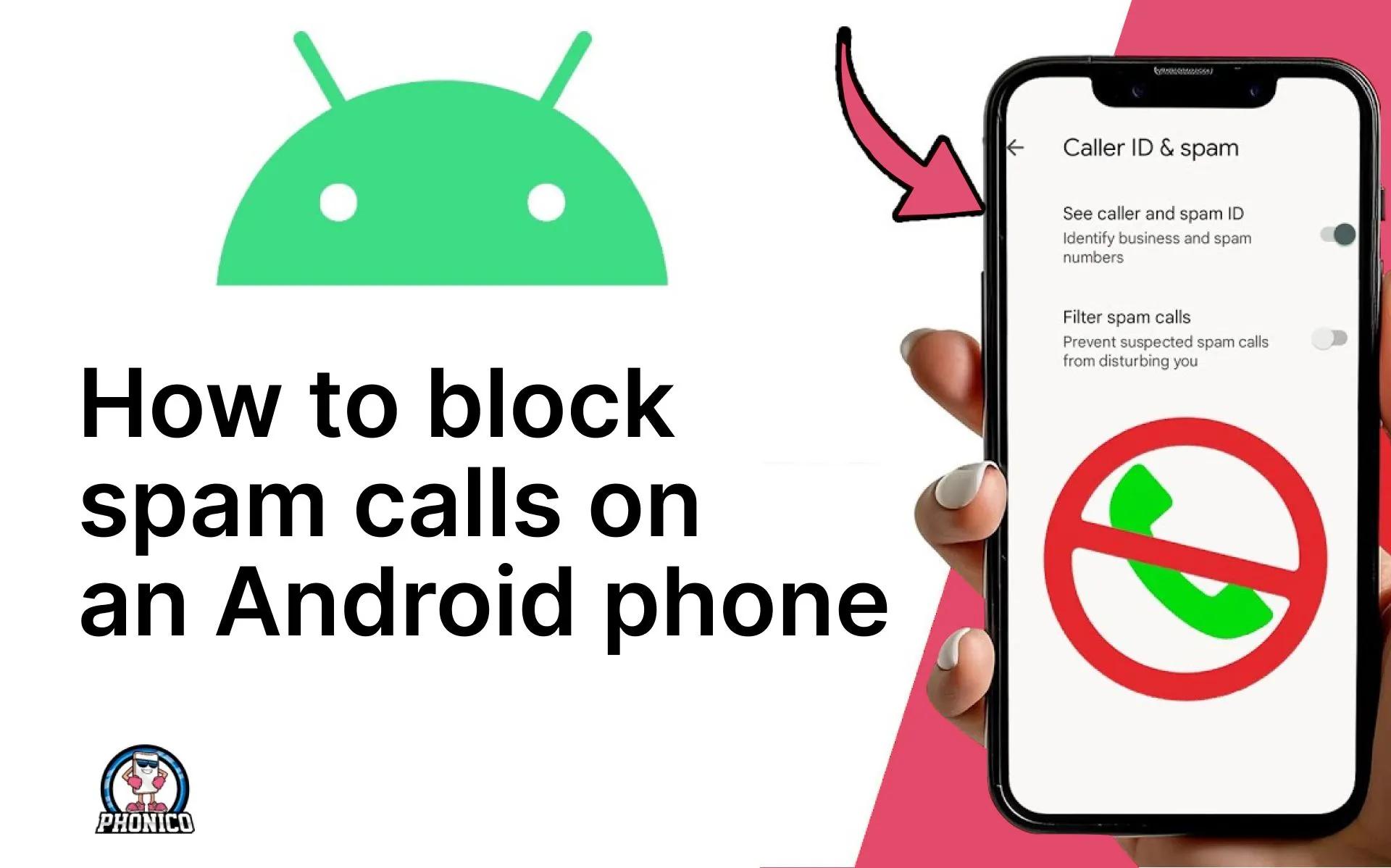
Caller ID and spam protection are additional security layers for your information before you attend the call. These contribute to alert you about the potential spam. You can follow the given steps to turn them on or off.
- Open the Phone app Settings.
- Look for the Caller ID & Spam.
- Toggle to turn on or off the See Caller ID and the Filter Spam Calls.
The feature identifies the caller and potential spam based on the data sent to Google.
Caller ID announcement
The feature lets you know the spammer's information, like number and name, without looking at your phone. Here is how you can enable it.
- Open the Phone app, click More options.
- Tap Settings and Caller ID announcement, and the Announce Caller ID.
Add your number to the Don’t Call Registry
Adding your number to the registry avoid receiving unwanted calls. You ask the spammers to take you off the list.
Download the third-party app for call blocking
Multiple apps are available on the Play Store that you can download to identify and block spam calls. You can download the reliable one that can identify the spam and block it automatically.
Avoid taping links in a spam text message
Click the link now and win the free iPad. Unfortunately, you can’t because it's a spam message. Ensure to avoid clicking the random links in the spam text messages. The links let the scammers install malware on your device.
Can an eSIM stop spam calls on an Android phone?
An eSIM card doesn’t directly stop or block spam calls. eSIM works like a physical SIM, but it is more secure and stores the subscriber data digitally. It directly helps to reduce the spam call risk.
Some eSIM carrier offers spam filtering to delete spam and get the caller ID alerts. eSIM lets you use another number to keep your details separate and safe. Compared to a SIM card, an eSIM likely contributes to a safe connection.
Embedded SIM is also effective for a smooth cellular data connection. If you are a traveller, switch to eSIM for a secure and stable connection. For this purpose, Phonico is an ideal option to enjoy USA eSIM data plans with unlimited talk and text services.
You can buy the eSIM online and activate it in your iPhone and Android via QR code scan.
Conclusion
We receive the spam calls day to days, which seems frustrating when you are near to fulfill your focused task. It's pretty simple to block Spam calls on an Android. You can manually block the calls, report them as spam, or verify the caller ID.
You can stop the spamming calls and messages by enabling the spam protection or the caller ID announcement. In the article, I have discussed the detailed steps to improve your Android experience.
FAQs
Why am I suddenly receiving so many spam calls?
If you are suddenly getting so many spam calls, it may be due to the spam callers who sold your number to the scammer or telemarketing companies.
Does Android have a built-in spam blocker?
Yes, Android has a built-in spam protection feature. You need to make sure that the features are enabled in the Settings.
Is there a way to permanently stop spam calls?
You can’t eliminate spam calls permanently. However, it's possible to manage the calls by blocking or reporting.